

The Trello alternative for teams where AI does the work
Keep the board your team knows. Jenzo adds what a task tracker was never built for: every Claude Code, Codex, Cursor and Gemini CLI session lands on the ticket it worked, with its time, model and cost.
For when one board stops being enough: projects, dates and dependencies are there the day you need them.
Board comes switched on.
Add idempotency keys to the payments webhook
a 26m fix after a 1h 14m first pass failed review
What maps to what
Pick Trello when you set up and Jenzo lists its views in the order Trello teams use them, named the way you know them. The ones you lean on most come switched on. Turning one off hides it and keeps the data.
| In Trello | In Jenzo | What it does | At setup |
|---|---|---|---|
| Boards in Trello | Board | Tickets as cards in To do, In progress, Blocked and Done columns. | ON |
| Calendar Power-Up in Trello | Calendar | Tickets on a month grid by start and due date. | One click |
Also there when you want them: Projects, Saved views, Timeline, Dependencies, Estimates, Sprints, Triage and Time tracking.
Bring your Trello tickets over
Pick Trello at setup
Board comes ticked. Tick more now or any time later.
Import your Trello tickets
Upload the board's JSON export from Trello. A preview comes first, with each Trello status mapped to To do, In progress, Blocked or Done for you to change. Cards keep their list as status, labels, members, due dates and checklists, and the board becomes a project. Archived cards are skipped. Run it again and tickets update instead of duplicating. An import undoes in one step, and the report after it lists every row that was skipped or failed, with the reason. Prefer we do it? Upload the export and our team imports it and checks every row with you.
Connect your AI
Claude Code, Codex, Cursor and Gemini CLI connect over MCP. From then on they open, log and close their own tickets.
People match to your workspace members by email, or by exact name when the export has no email.
See which ticket each AI session and dollar went to
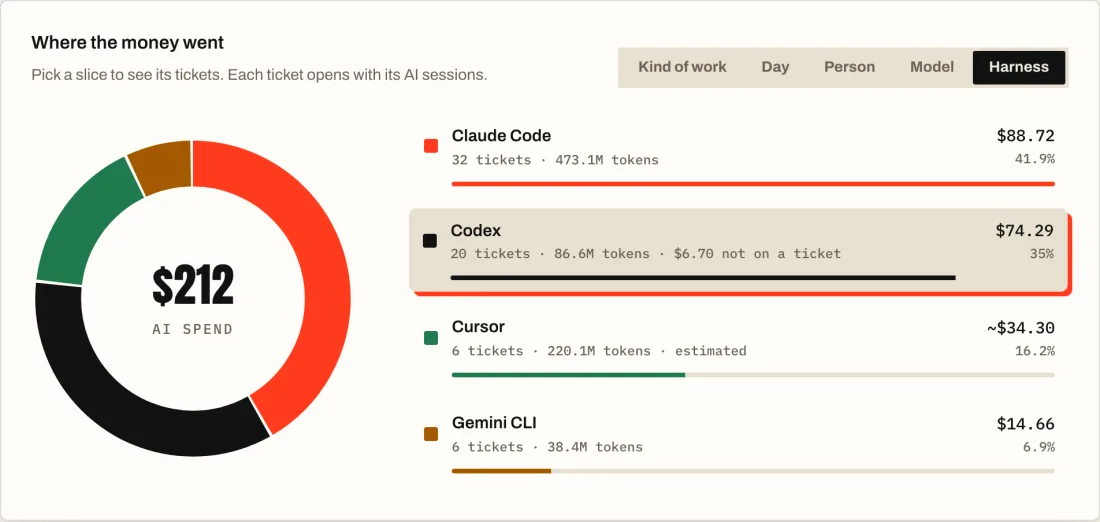
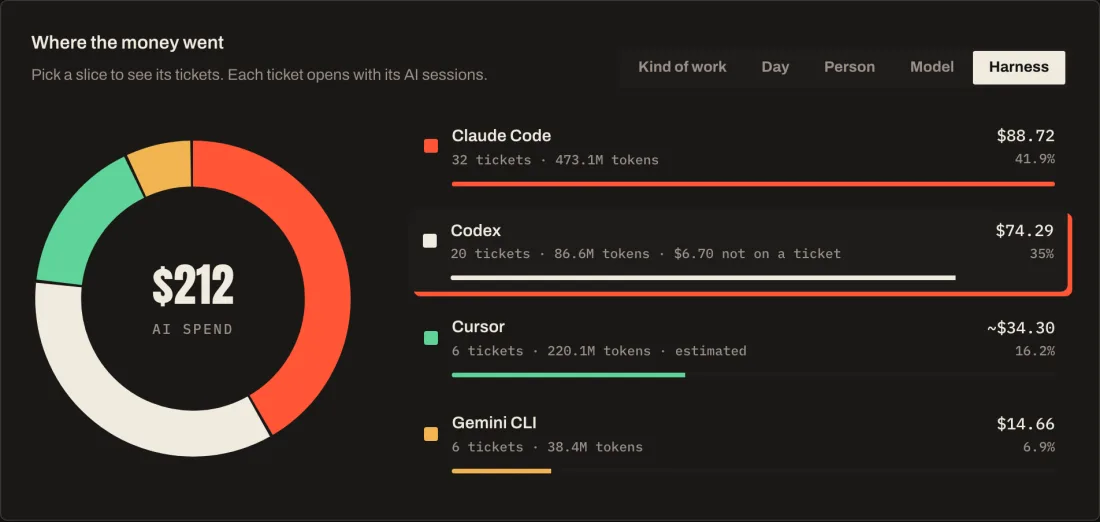
Trello holds the work your team plans. Your team also runs Claude Code, Codex and Cursor on their own machines. Jenzo records those sessions on the ticket they worked: who launched them, how long the AI ran, which model, and what it cost.
- Per ticket, project and sprint: what a piece of work really cost in AI.
- Per person: every AI session is tied to the human who ran it.
- Measured or estimated: every figure says which.
More on this: AI cost per ticket and Claude Code usage per developer.
What Jenzo does not do
Better you hear it here than after the import.
Four statuses, not custom workflows. Your Trello statuses map onto To do, In progress, Blocked and Done.
No custom fields. Use tags, projects and estimates instead.
The Timeline is read-only. Reschedule on the Calendar or on the ticket.
No Power-Ups. Calendar, dependencies and time tracking are built in as modules instead of add-ons.
No docs or wiki. Jenzo is the tickets and the AI work on them.
Questions
We only ever used one Trello board. Is Jenzo too much?
Jenzo starts with the Board and nothing else from your old tool. Projects, Calendar, Timeline and the rest stay off until someone turns them on, and turning one off again keeps its data.
Can we run Trello and Jenzo side by side for a while?
Yes. Every imported ticket keeps its Trello id, so running the import again updates what is already there instead of making duplicates. Each import is a batch you can undo in one step.
Do we have to use AI tools to get value from Jenzo?
No. Jenzo works as a ticket tracker for people. The AI side starts when someone connects Claude Code, Codex, Cursor or Gemini CLI over MCP: from then on those sessions open, log and close their own tickets.
Which AI tools does Jenzo track, and how exactly?
Claude Code, Codex and Gemini CLI are measured from the session files on the computer, counts only. Cursor keeps no token counts on disk, so its cost is estimated from the tokens each session reports, and marked so.
What happens if we turn a view off?
It disappears from the sidebar and nothing else changes. The data stays, and the API and MCP still read and write it.