

AI chargeback, by the work
"Break our AI spend down by team." The usual answers split it by API key or by person. Jenzo splits it by what the work was for: every Claude Code, Codex and Cursor session records the ticket it worked on, and the ticket's project tag (a team, a client or a cost center) decides where the cost lands. Show it back, set budgets per project, then charge the real invoice by share.
"It's just a big monthly number"
That is how one FinOps lead described the AI bill their CFO wanted broken down by team: a big monthly number and a graph that goes up. Ask an AI engine how to allocate it and you get cloud FinOps advice: route every model call through a gateway and tag it with a team. That works for your product's API traffic. It misses most AI coding work, which runs on subscription seats and never passes a gateway. Here is the question in the words of the people asking it:
My CFO asked me to break our AI spend down by ...
r/FinOps, a FinOps practitioner
Finance has a numerator and no denominator: they see the bill, not what it bought.
r/FinOps, an AI vendor
How are you handling token budgets with AI initiatives? Seem like a shadow cost functional leaders overlook.
r/CFO
Nobody put the token cost on the invoice.
An agency owner on LinkedIn
Charge by person and you charge the wrong team
Allocating by person (or by API key, which is usually a person or a team) assumes people only work for their own department. Sam is an engineer in Jenzo's demo workspace. In November his AI work cost $46.11 at API prices. Charged by person, all of it lands on Engineering. Charged by the ticket each session worked on, $17.37 was product work, $19.34 was for sales, customers, finance, ops and the board, and $9.40 ran on no ticket at all.
Charged by person
- Engineering $46.11
Charged by the work
- #product $17.37
- #sales $7.42
- #customers $4.15
- #finance $2.88
- #ops $2.57
- #board $2.32
- no ticket $9.40
Demo workspace, November 2026, list prices. Sam fixed the Northwind export, updated the pricing sheet for sales and pulled churn numbers for customer success.
One month of AI spend, by project
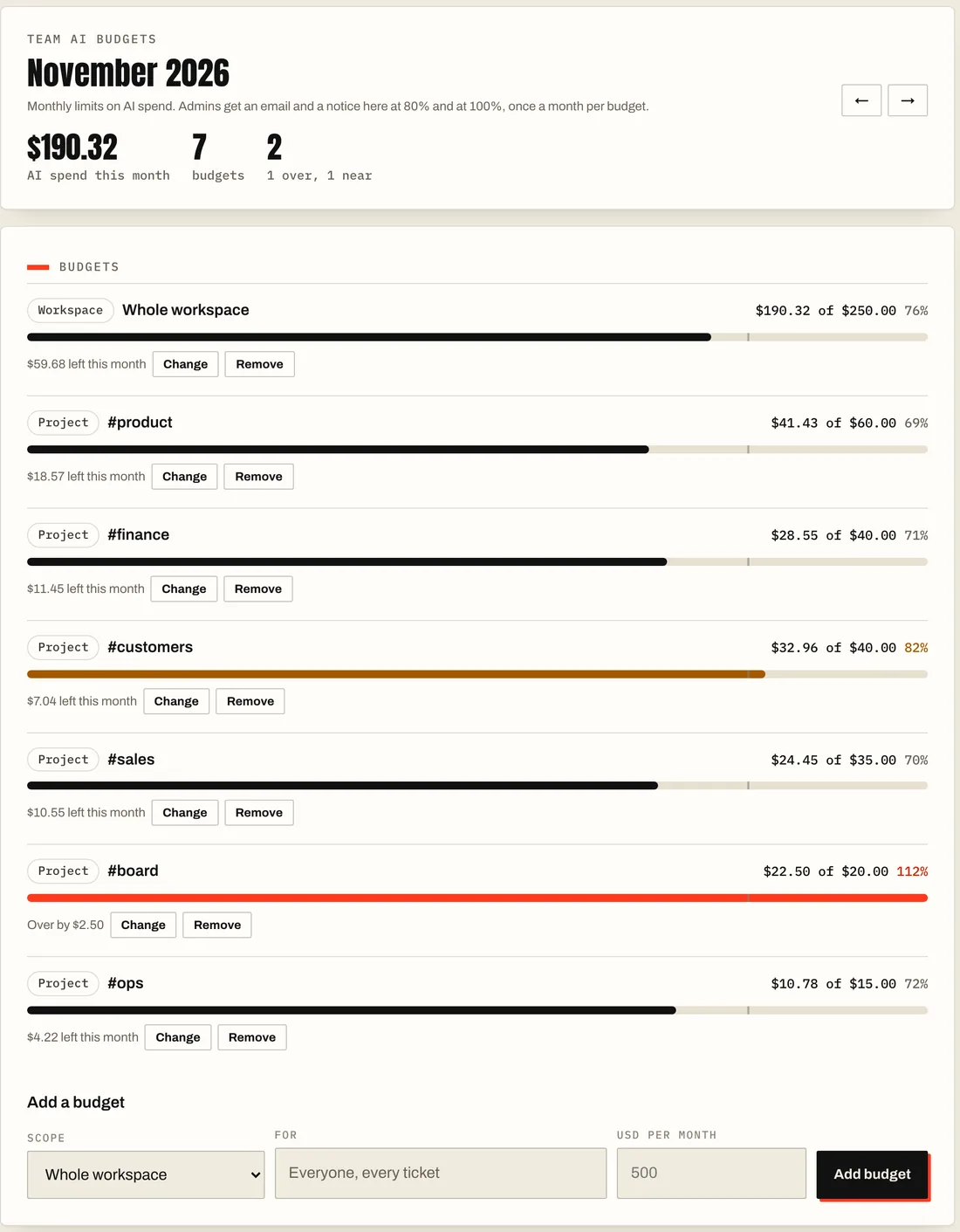
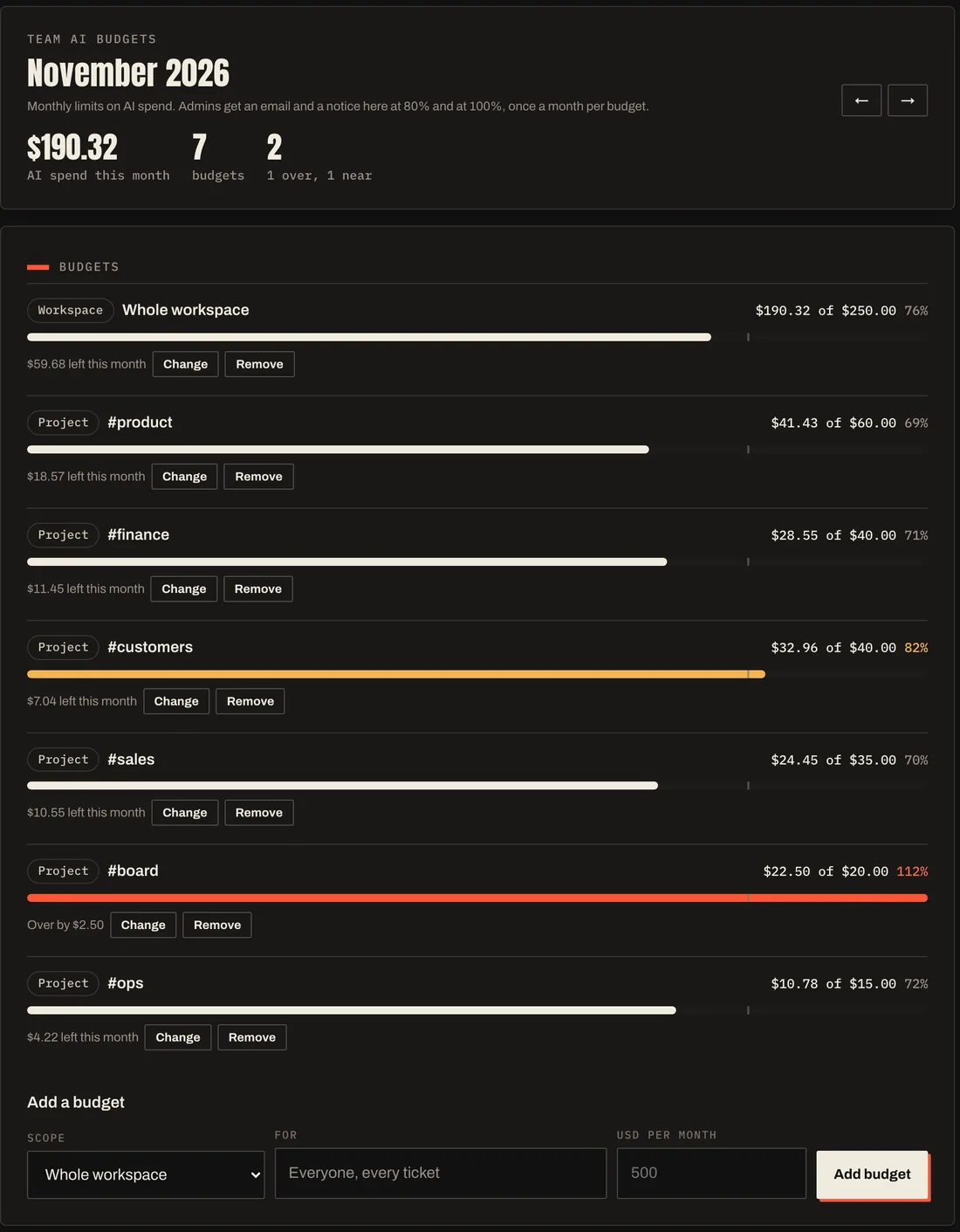
The whole demo workspace, a 40-person services firm, with each ticket tagged by the team it served: $190.32 of AI work across Claude Code, Codex, Cursor and Gemini CLI, with a monthly budget on six of the tags. This is the Budgets screen an admin sees:
The same month as a chargeback view:
- Product carried 21.8% of AI spend, and only part of it came from engineers. The CEO and the Chief AI Officer both ran product work on it.
- The board tag went over budget ($22.50 against $20): the Q3 board update, the investor data room index and five summaries of the same enterprise board call, run by four different people. A per-person view shows four people with a little extra spend, not one purpose over budget.
- 8.5% ran on no ticket. It stays in the total as its own line, so the shares still add up to the bill.
From shares to the real invoice
Jenzo prices every session at the model's published API rate. That is one comparable unit across seats, keys and tools, but it is not your invoice: on Claude Pro, Max and Ultra, Anthropic's own cost docs say the session cost "isn't relevant for billing purposes" (more in our method). For chargeback, use the figures as shares. Say the month's AI invoices (seats, keys and overages) came to $4,000:
Worked example. Share is each tag's list-price spend over the month's $190.32; 91.5% was on tagged tickets.
Product's charge is $870.74. The rows add up to the invoice, which is the test any chargeback has to pass. The no-ticket line goes to a shared pool or is spread pro rata. Agree which before the first month.
Showback first, then chargeback
Showback
Reporting each team's consumption back to it. The FinOps Foundation says to show teams their AI costs, "broken down by project and workload, before charging them back."
Chargeback
Charging actual consumption to each team's P&L budget (FinOps terminology). Money moves, so the tags have to be right first.
- Step 1
Tag the work, not the people
One project tag per team, client or cost center. Tag a parent ticket and every ticket under it counts, so a client's whole project is one tag.
- Step 2
Show back one month
Send each owner their slice with the tickets behind it. No money moves. The FinOps Foundation notes that "visibility alone often changes behavior."
- Step 3
Set budgets per project
A monthly budget per tag, with an email and an in-app notice at 80% and at 100%, once a month per budget.
- Step 4
Charge back by share
Apply each project's share to the real invoice total. Bill clients from the export, with your margin added.
Charging AI work to clients
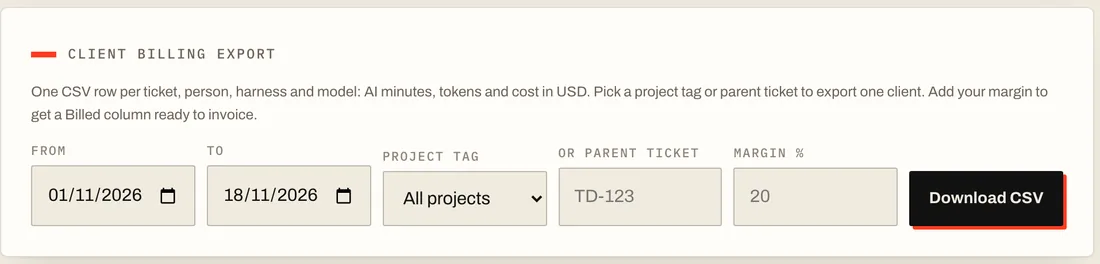
For agencies and consultancies the cost center is a client. Tag the client's parent ticket and everything under it counts. The billing export lists every ticket for that client and date range, one row per ticket, person, tool and model, with AI minutes, tokens and cost, and adds your margin as a Billed column. The fields are listed on AI cost per ticket, and the AI coding timesheet shows how to put people's hours and AI cost on one invoice.
How teams allocate AI spend today
Each method sees a different slice. If your AI spend is your product calling models, a gateway or a FinOps platform fits. If it is people working with AI coding tools, the ticket is where the cost and the purpose meet.
| Method | Who offers it | What it allocates | What it misses |
|---|---|---|---|
| API keys and workspaces | Anthropic Console, OpenAI Projects | Cost per workspace, project or API key, for traffic on those keys | Coding tools on subscription seats. Anthropic's Claude Code Analytics API does not return subscription usage |
| Gateway tags | LiteLLM, Portkey | Every call routed through the gateway, by key, team or metadata tag | Tools that do not route through it, and which ticket a call was for unless you pass it |
| FinOps platforms | Vantage, CloudZero | Provider bills in one place; Claude Enterprise usage by user and product | The unit of work. Per-team splits need tagged keys or your own telemetry |
| Seat admin views | Cursor Admin API, billing groups | Spend per team member; Enterprise billing groups split spend by group of people | A split by project or client: a group is people, not the work |
| Cost on the issue | Tempo for Jira | Claude Code session cost on a Jira issue, matched by the branch's issue key | Work with no branch, and AI work outside Jira |
| Project tag on the ticket | Jenzo | Every AI session on a ticket, seat or key, across Claude Code, Codex, Cursor and Gemini CLI | AI work no tool reported. Dollars are list price, so split the real invoice by share |
Checked on each vendor's own pages, November 2026. Claude Code Analytics API: Anthropic docs.
How it works
Connect the tools
Add the Jenzo MCP to Claude Code with claude mcp add jenzo. Codex, Cursor and Gemini CLI connect the same way.
Work on tagged tickets
Each AI session records its ticket, model, tokens and time. The ticket's project tag decides where its cost lands.
Show back, then charge
Budgets per project, alerts at 80% and 100%, and a CSV per client or project for any date range.
Same tickets, other cuts: AI coding cost per ticket, AI usage by type of work and Claude Code usage per developer. Why caps are not allocation: the 2026 AI spend cap wave. The whole picture for finance: AI spend management, the 7-number scorecard.
Cite this page
Jenzo (2026). AI chargeback: allocate AI coding costs by the work. https://jenzo.ai/use-cases/ai-chargeback.
Free to quote with a link to this page.
Questions
What is AI chargeback?
AI chargeback means charging the cost of AI tools and model usage to the teams, projects or clients that used them, so each budget owner carries their own AI spend. The FinOps Foundation defines chargeback as charging actual consumption to P&L budgets, and showback as reporting that consumption without moving money. For AI coding tools the hard part is deciding what each dollar was for.
What is the difference between showback and chargeback?
Showback reports each team's AI spend back to it. Chargeback moves the cost into that team's budget. The FinOps Foundation advises showing teams their AI costs, broken down by project and workload, before charging them back. A month or two of showback also tests your tags before money depends on them.
How do I allocate Claude Code subscription costs to teams?
Per-user analytics, such as Anthropic's Claude Code Analytics API, report by user or API key, and that API does not return usage from people signed in with a Claude subscription plan. Jenzo works from the session instead: each Claude Code session records the ticket it worked on, whether it ran on a seat or a key, so the cost follows the ticket's project tag. Then split the real subscription invoice by each project's share.
Are Jenzo's dollars my actual invoice?
No. Every session is priced at the model's published API rate, which gives one comparable unit across seats, keys and tools. For chargeback, use those figures as shares: each project's share of the month times the real invoice total. That way the numbers you charge add up to what you paid.
What happens to AI work that has no ticket?
It stays in the month's total as its own line, Not on a ticket, with its cost. Decide up front whether that slice goes to a shared pool or is spread across teams, and make it smaller by attaching sessions to tickets.
Do I need an AI gateway for chargeback?
Not for AI coding tools. Gateways such as LiteLLM or Portkey are a good fit for your own product's API calls, because every request passes through them and can carry a team tag. Claude Code, Codex and Cursor on subscription seats usually do not route through a gateway, and a gateway tag still does not say which ticket a call was for.
Can I charge AI work back to a client?
Yes. Tag the client's parent ticket and every ticket under it counts toward that client. The billing export lists every ticket for the client for any date range, with person, tool, model, AI minutes, tokens and cost, and adds your margin as a Billed column. Project budgets and the billing export are on the Business plan.