

AI coding cost per ticket
Finance can see the AI bill. It cannot see what the bill bought. Tokens per person answer "who spent". The question your CFO is asking is what each piece of work cost. Jenzo costs every Claude Code, Codex and Cursor session against the ticket it worked on, so you can read AI spend per ticket, by kind of work, model and client.
The number finance is actually asking for
AI coding spend arrives as one monthly number and a graph that goes up. Accenture's chief AI and data officer, Lan Guan, told Fortune that her token costs from AI coding are "shooting through the roof", and that it is a CFO conversation she has constantly. Amazon's own memo, reported in October, calls token usage, adoption rates and code-change counts "deeply flawed" ways to measure AI work. The people who own the budget say it more plainly:
Track token cost per task closed, not per prompt.
r/FinOps
tokens are a cost input, not a business outcome.
r/CFO
It's hard to do a straight line between token spent and the actual value it's bringing.
r/FinOps
show me the ROI on what we're spending on AI. Don't tell me it's helping, show me.
A manager, quoted on r/ClaudeAI
A per-person total is a numerator with no denominator. Cost per ticket gives it one: a unit of work someone asked for, that either shipped or did not, and that you can put next to its value.
How to calculate AI cost per ticket
The formula is simple. Getting the inputs is the hard part, because each tool keeps its own usage and none of them knows which ticket a session was for.
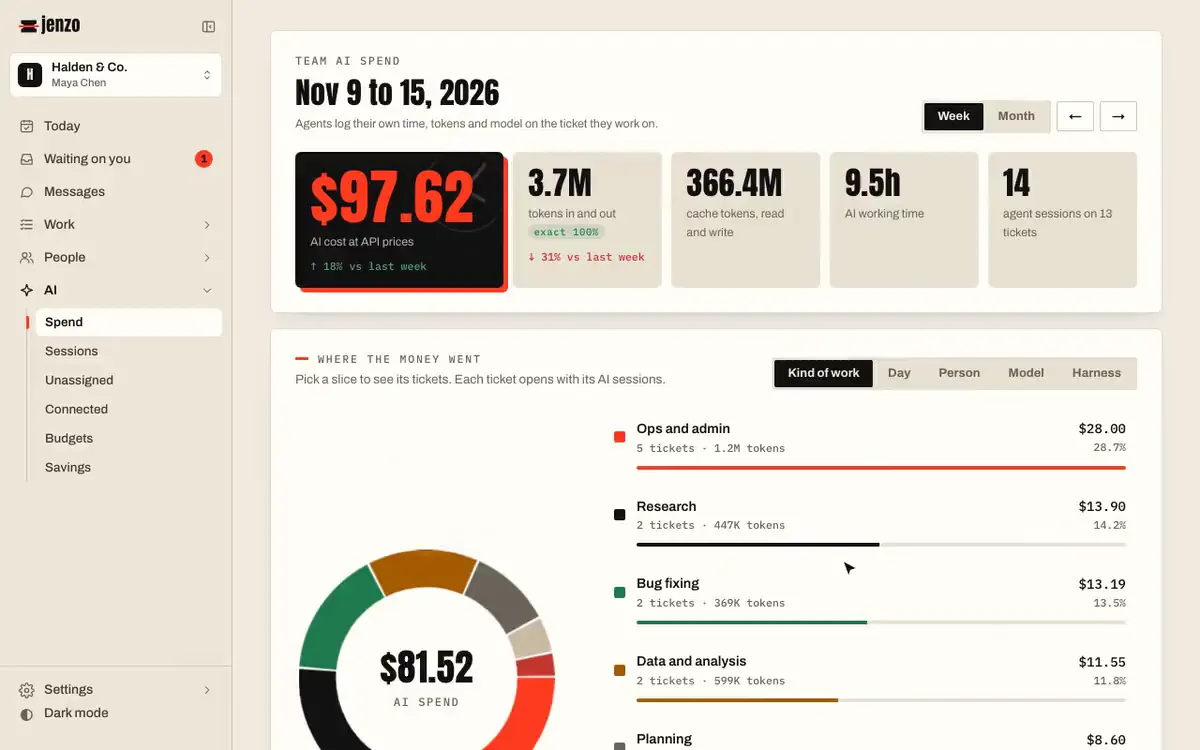
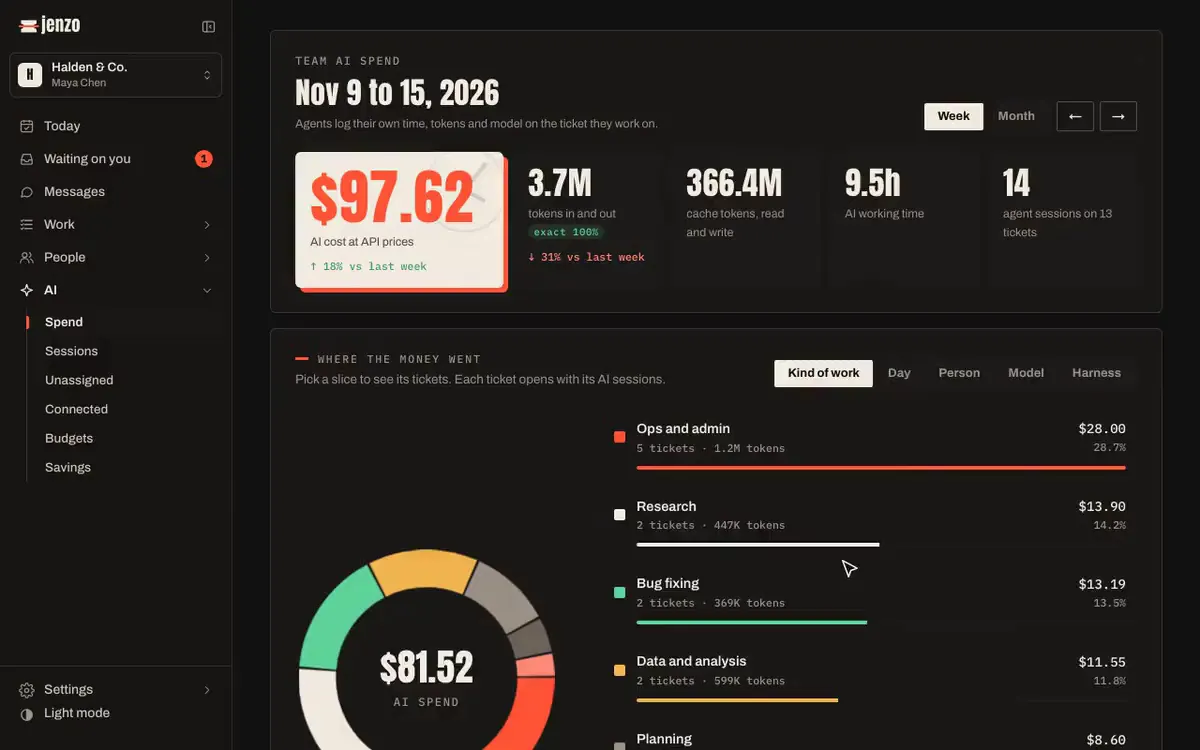
Divide the spend on one kind of work by its number of tickets and you have cost per ticket by type, the number to budget with. Here is one week in Jenzo's demo workspace, read straight off the Spend screen below:
Demo workspace, week of 9 to 15 November 2026. Spend on each kind of work divided by its tickets. Not customer data.
Notice where most of the week's money went: ops, research and data work, the kind that often never ends in a pull request. A per-PR view would miss much of this week.
See the cost of every ticket
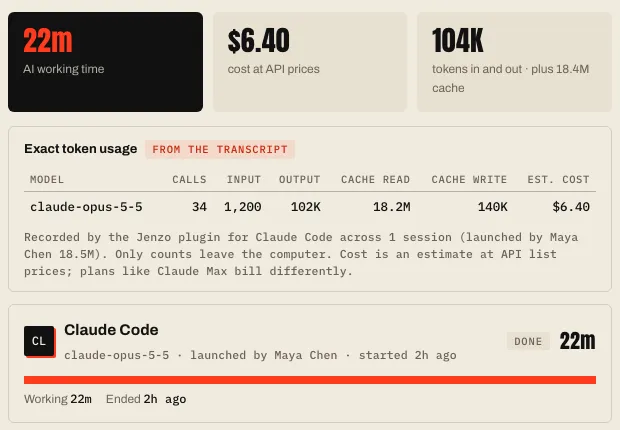
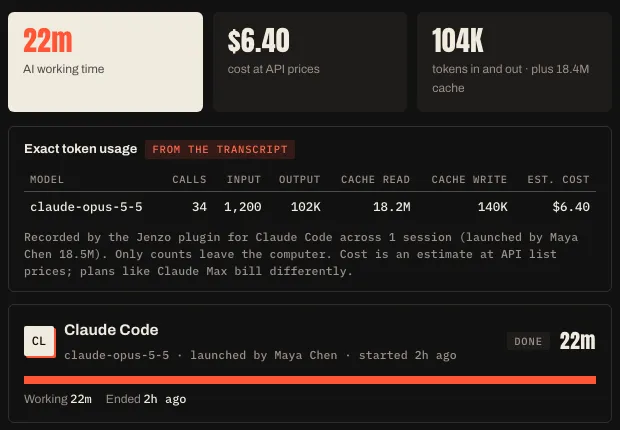
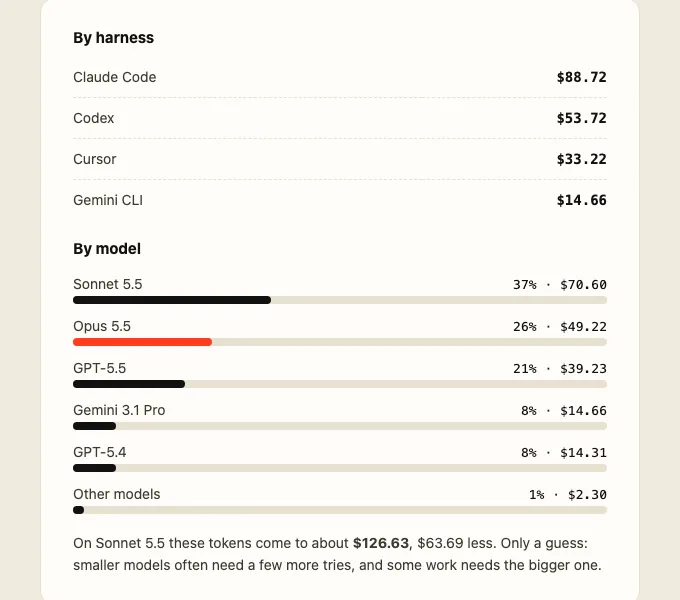
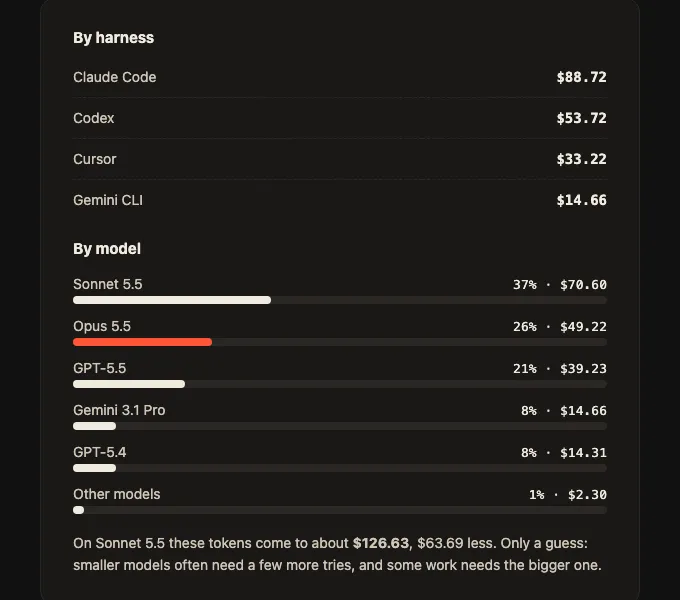
The Spend view splits the week by kind of work, with the number of tickets and tokens behind each slice. Switch the slice to person, model, day or tool. Open any ticket and its AI receipt shows exactly what ran on it.
How teams measure AI cost today, and where each stops
Ask an AI search engine how to get cost per ticket and the usual answer is to tag every AI call with a ticket ID and build the ledger yourself. There are better options now, and each one sees a different slice of the work.
| Method | Who offers it | What it covers | What it misses |
|---|---|---|---|
| Per-developer dashboards | Claude Code analytics, the Claude Console, and the admin views of other tools | Spend per person, per key or per workspace | Which ticket or kind of work the money was for |
| Cost per pull request | Engineering analytics such as DX, LinearB, Jellyfish and Larridin | Spend against merged PRs | Work that never becomes a PR: research, ops, plans, reports |
| Branch to issue matching | Tempo's AI attribution for Jira | Code that lands on a branch carrying a Jira issue key | Off-branch work, and teams not on Jira |
| Tag every call yourself | An AI gateway plus your own ledger, the route most guides suggest | Every API call that passes through the gateway | Subscription seats, and tools outside the gateway |
| Session records its ticket | Jenzo, over MCP | Every Claude Code, Codex, Cursor and Gemini CLI session, git or not | Work no AI tool touched, which has no AI cost |
Checked on each vendor's own pages, November 2026.
What the dollar figure means
A finance team will ask, so here is the method.
- Priced at list ratesEvery session's tokens are priced at the model's published API rate, the same rates as our AI coding price index. That gives one comparable unit across tools, plans and months.
- Measured, or labelled as an estimateClaude Code, Codex and Gemini CLI sessions are measured exactly from the session files on the computer by the Jenzo plugin or agent, counts only. Cursor keeps no token counts on disk, so its sessions report their own numbers and Jenzo marks them as estimates. Work with no figure is never shown as free.
- Subscriptions are not the invoiceOn Claude Pro, Max and Ultra, Anthropic's own cost docs say the session cost "isn't relevant for billing purposes". The figure tells you what the work would cost on pay-as-you-go, which is the right number for comparing tickets and models, not for reconciling the card statement.
- Work without a ticket stays visibleA session that ran without a ticket lands in Unassigned, with its cost, until someone attaches it. It never vanishes from the total.
Five numbers for the monthly finance review
- Cost per ticket, by kind of work. The budget line. A bug fix and a migration are not the same purchase. See AI usage by type of work.
- Top-model share on small work. The cheapest saving: the Savings view prices the same tokens on a smaller model.
- Unassigned spend. AI work with no ticket behind it. If it grows, the work is happening off the books. On a ticket, the AI audit trail shows what that money did.
- Cost by client or project. For agencies and internal AI chargeback, straight from the billing CSV.
- Spend against tickets, week on week. Total spend up 18% means little on its own. Read it next to the number of tickets it covered.
Companies that capped spend instead learned the same lesson: a cap shows who spent, not what got done. See the 2026 AI spend cap wave.
Bill clients per ticket
For agencies and consultancies, cost per ticket is also a line on an invoice. The billing CSV lists every ticket for any date range, filtered to one client's project, with these fields. Give it a margin and it adds the billed amount.
- Ticket ref
- Title
- Project
- Person
- AI tool
- Model
- AI minutes
- Tokens
- Cost USD
- Cost source
- Billed USD (+ your margin)
Hourly contract? Bill people's hours as time and the AI as a cost line: the AI coding timesheet shows a client's month both ways.
How it works
Connect
Connect the Jenzo MCP to Claude Code with claude mcp add jenzo. Codex, Cursor and Gemini CLI connect the same way.
Work the ticket
Each AI session picks up a ticket and records its own time, model and tokens on it. Nobody tags a call or names a branch.
Read cost per ticket
Every ticket carries its AI receipt. Roll it up by kind of work, model, person or client, or export the billing CSV.
Want the per-person view as well? See how to track Claude Code usage per developer, tied to the same tickets. Or price a task before it runs with the AI token cost calculator. For the monthly finance view, see the CFO's 7-number AI spend scorecard.
Cite this page
Jenzo (2026). AI coding cost per ticket. https://jenzo.ai/use-cases/cost-per-ticket-ai-coding.
Free to quote with a link to this page.
Questions
How do you calculate AI coding cost per ticket?
Add up every AI session that worked on the ticket, across every tool, and price each session's tokens at its model's list price. That sum is the AI cost of the ticket. Divide the spend on a kind of work by its number of tickets and you get cost per ticket by type. Jenzo collects every input for you: each Claude Code, Codex or Cursor session records the ticket it worked on, its model and its tokens, every ticket shows its own AI cost, and the Spend view gives the spend and ticket count for each kind of work.
What does an AI coding ticket cost?
It depends on the work and the model far more than on the person. Anthropic's own docs put the enterprise average for Claude Code at around $13 per developer per active day, but that is a per-person figure, not a per-ticket one. In Jenzo's demo workspace, one week came to $5.60 to $6.95 per ticket depending on the kind of work. Your number will differ, which is the point of measuring it on your own tickets.
Is cost per ticket better than cost per pull request?
Cost per pull request only sees work that ends in a PR. A lot of AI work never does: research, a migration plan, an ops fix, a data pull, a report. Cost per ticket covers all of it, because the ticket is where the work was asked for. If your team ships everything through PRs, per-PR cost is a fair proxy. If not, it undercounts.
Do I need to tag every AI call with a ticket ID?
That is the do-it-yourself route most guides suggest: tag each API call with a ticket ID through a gateway, then join the logs. It misses subscription seats and any tool that does not go through your gateway. With Jenzo the AI tool connects over MCP and records the ticket itself, so there is no tagging and no ledger to build.
Does this work if my team is on Claude Max or other flat subscriptions?
Yes. On subscriptions Jenzo prices the tokens at API list rates, which Anthropic also treats as an estimate on Pro, Max and Ultra. You will not reconcile that figure to the invoice, but it is the right unit for comparing tickets, kinds of work and models, and for spotting which work would be expensive on pay-as-you-go.
Can I bill clients for AI coding work per ticket?
Yes. The billing CSV lists every ticket with its project, person, tool, model, AI minutes, tokens and cost, for any date range, filtered to one client's project. Add a margin and it adds a Billed column on top of cost, ready to put on an invoice.
Does Jenzo read our code or prompts to work out the cost?
No. For Claude Code, Codex and Gemini CLI, the Jenzo plugin or agent sums the token counts in the local session files and sends only the counts: model, tokens, calls, time and the ticket. No transcript text, code or prompts leave the computer. Cursor keeps no token counts on disk, so it reports its own numbers through the MCP, and Jenzo labels those as estimates.