

Assign tickets to Claude Code, and keep a person on every one
You can hand Claude Code a ticket several ways today, from pasting it into the prompt to an @claude mention on GitHub. Our take: do not give it its own seat. Give the ticket to a person, let their Claude Code pick it up, and have it write the plan, the questions, the time and the cost back on the ticket.
How to assign a ticket to Claude Code today
- Paste it into the prompt
- The most common way, and the least kept: the ticket text goes in, the work comes out in your terminal, and the ticket learns nothing unless someone copies it back.
- Claude Code's task list
- “The task list is Claude's to-do checklist: items Claude created to plan multi-step work” (docs). To share one between sessions, “set
CLAUDE_CODE_TASK_LIST_IDto use a named directory in~/.claude/tasks/”, and use the same ID in each Claude Code window (env vars). It lives on your computer. - @claude on a GitHub issue
- With Claude Code GitHub Actions, “mention @claude in a pull request or issue comment to have Claude analyze code, implement changes, and push commits” (docs). It is triggered by a mention in GitHub, not by assigning.
- Delegate in Linear or Jira
- Linear: “Delegate issues by assigning the issue to the agent” (Linear docs, their word), and Cursor documents “Delegate issues to Cursor or mention @Cursor in comments” (Cursor docs). Jira says of “Rovo and third party agents”: “Assign them work” (Atlassian).
- Jenzo: the person's ticket, their Claude Code
- Assign the ticket to a person. In Claude Code they type
what's next?orwork on HAL-70. Claude Code reads it over Jenzo's MCP server and works it on the record. The full loop is below.
Why the ticket should stay with a person
Giving an AI its own seat on the board feels like the future. In practice it creates a ticket nobody answers for. When the export is wrong, who do you ask? When the AI needs to know whether voided invoices belong in it, who does it ask? An assignee that cannot be held to account is not an owner.
So we keep it simple: every ticket has a person, and the AI works for that person. Claude Code does the work; the person answers its questions, approves what costs money or touches customers, and does the last step. Four things follow from that.
Questions go to a name
The AI asks the person who holds the ticket, or whoever it names. It never guesses on a call that is not its to make, and its clock stops while it waits.
Risky calls wait for a yes
A decision marked as needing approval sits in the approver's queue. The AI must not act on it until a person approves.
Cost lands on the work
Time, model and tokens are filed on the ticket, so cost per ticket and an AI timesheet fall out of the same record.
Done means proven
Closing needs a note and a proof link, or a real closing report. If a person must merge or send, the AI hands off and the ticket waits for them.
What happens when Claude Code picks up a ticket in Jenzo
Each step is a tool on Jenzo's MCP server, called by Claude Code itself. Solid cards are the AI, dashed cards are people. The tool names are the real ones.
Maya files it, Sam holds itPerson
A normal ticket with a normal owner. Nothing special about it being AI work.
Claude Code picks it upAI
Asks Jenzo for Sam's next ticket, or Sam names it. Its own AI clock starts; Sam's timer is untouched.
Writes the plan on the ticketAI
Steps with notes as they finish. After a compaction or a new session, resume reads it back.
Records the real choicesAI
What it chose, why, and what it turned down. Risky ones wait for a person's yes.
Asks Sam, and waitsPerson
The question lands in Sam's Waiting on you. The AI clock pauses until he answers.
Files what it touchedAI
Repo, branch, pull request, commits and files, on the ticket.
Hands back or closesAI
Saves where it stopped for the next session, or closes with a note and a proof link.
Sam does the last stepPerson
Merge, send, pay: a checklist in Waiting on you. Ticking the last box closes the ticket.
And this is what Claude Code gets back when Sam types work on HAL-70 the next morning, from the demo workspace. It knows the plan, where it stopped, the decision it made and the question it is still waiting on, without reading yesterday's chat.
> work on HAL-70

  jenzo · resume(ref="HAL-70")
  RESUME HAL-70: Add a CSV export to the invoices page
  Status in progress | plan 2/4 steps (50%)
  WAITING ON A HUMAN since 2026-11-27 04:36 UTC: Should voided invoices be in the
  export? Finance's close sheet has no column for them.
    Do not continue the part that needs this answer. Ask the user, then call resolve_waiting.
  Original request: Work on the CSV export Maya assigned me
  Plan:
    [x] 1. Read the invoices query and filters
    [x] 2. Stream the filtered rows as CSV
    [ ] 3. Add the Export button
    [ ] 4. Tests for filters and large months
  Where we left off: step 3 (todo): Add the Export button
  Decisions so far:
    D1 (ai): Stream the CSV from the same query the page uses, instead of a background export job
The same ticket, as people see it
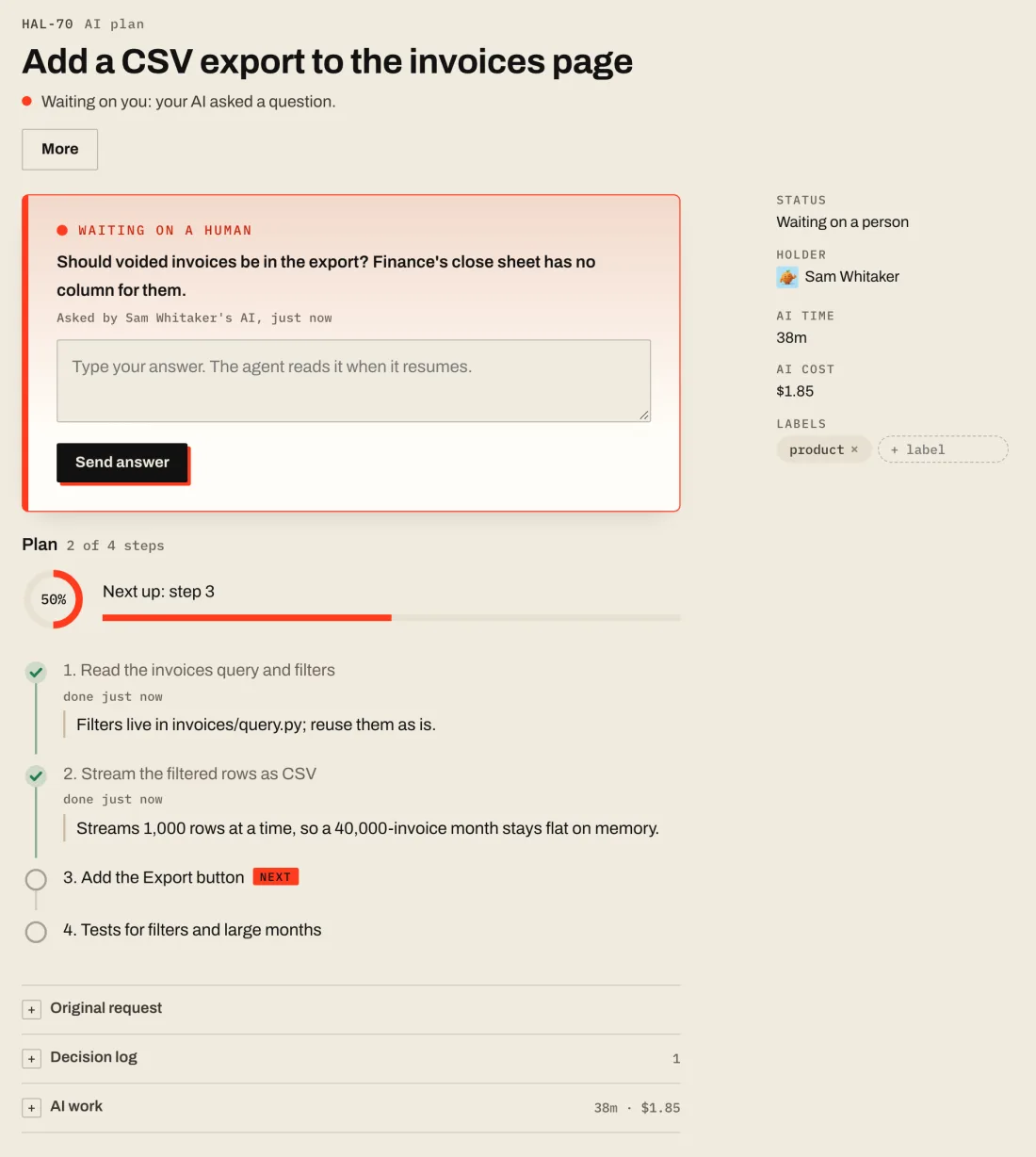
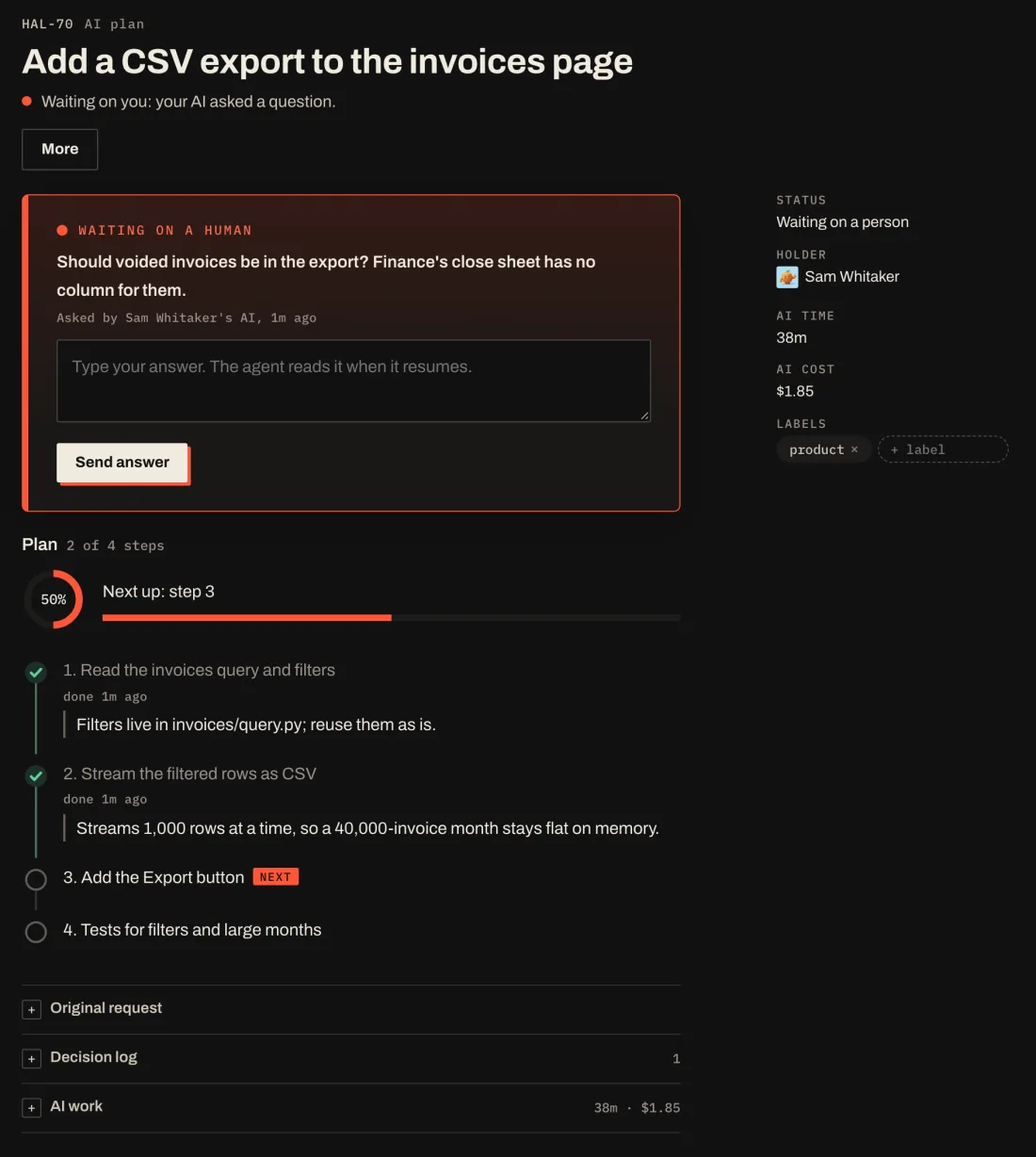
Jenzo's demo workspace, Halden & Co. Maya filed the ticket and assigned it to Sam, an engineer. These are the app's own screens, not mockups.
Plan, question, time and cost in one place
Two of four steps done, each with a note. The AI is paused on one question. On the right: 38m of AI time and $1.85, measured by the Jenzo plugin.
The decision log and the AI work sessions sit just below, one click away.
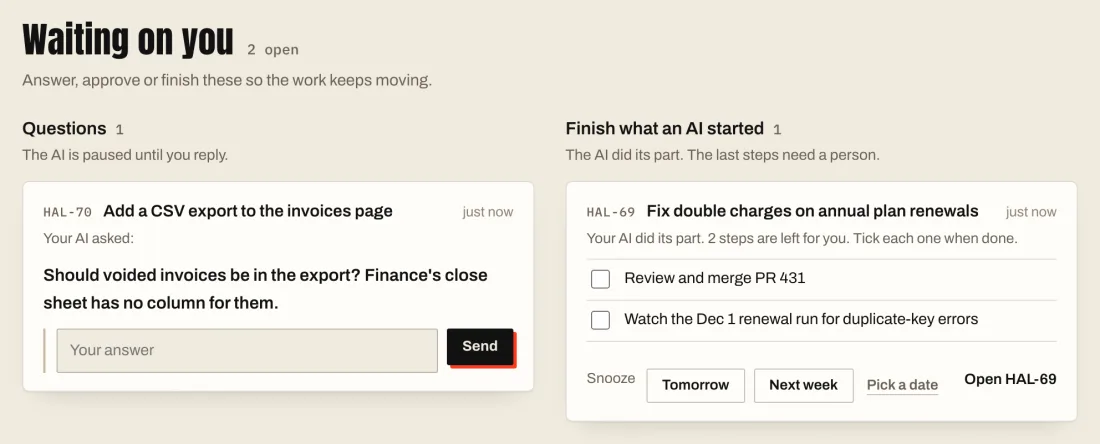
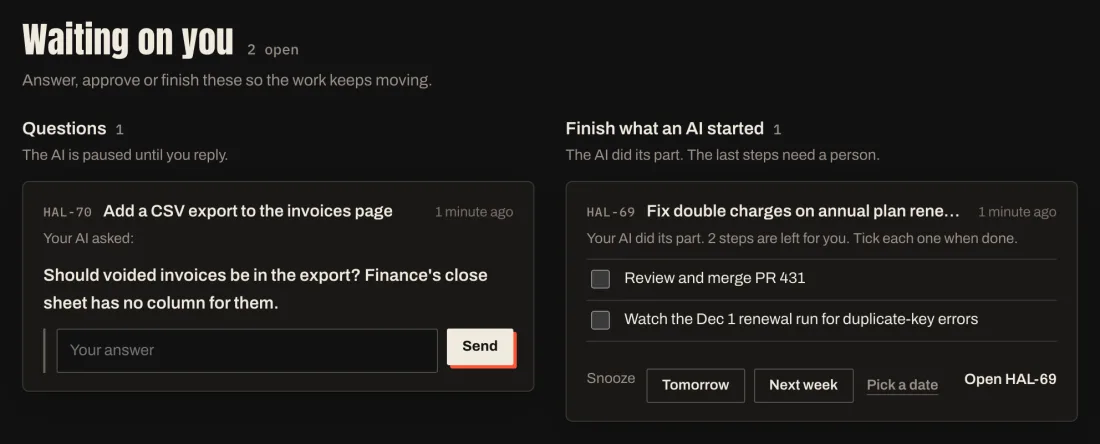
One queue for everything the AI needs from you
Left: the question, with a reply box. Right: a ticket where the AI did its part and left Sam two steps, review and merge the pull request and watch the next renewal run. Ticking both closes the ticket.
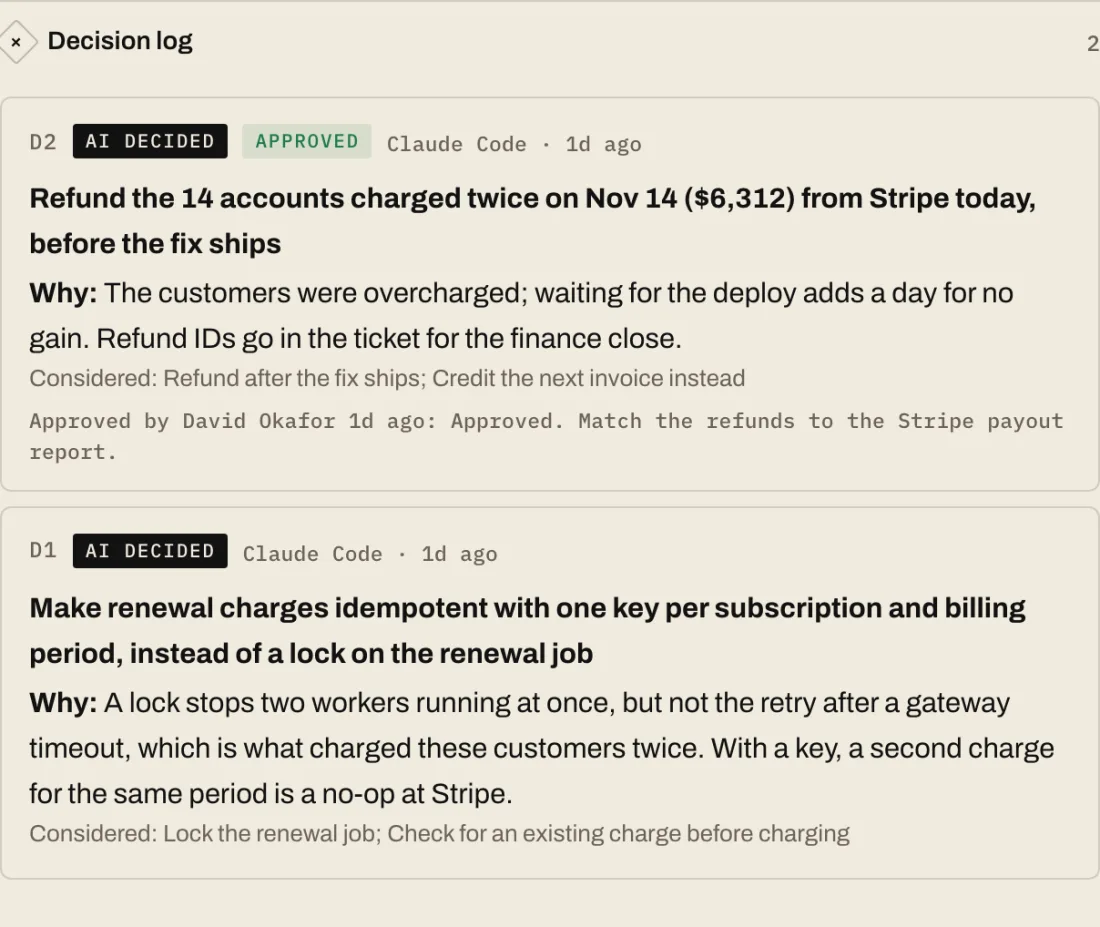
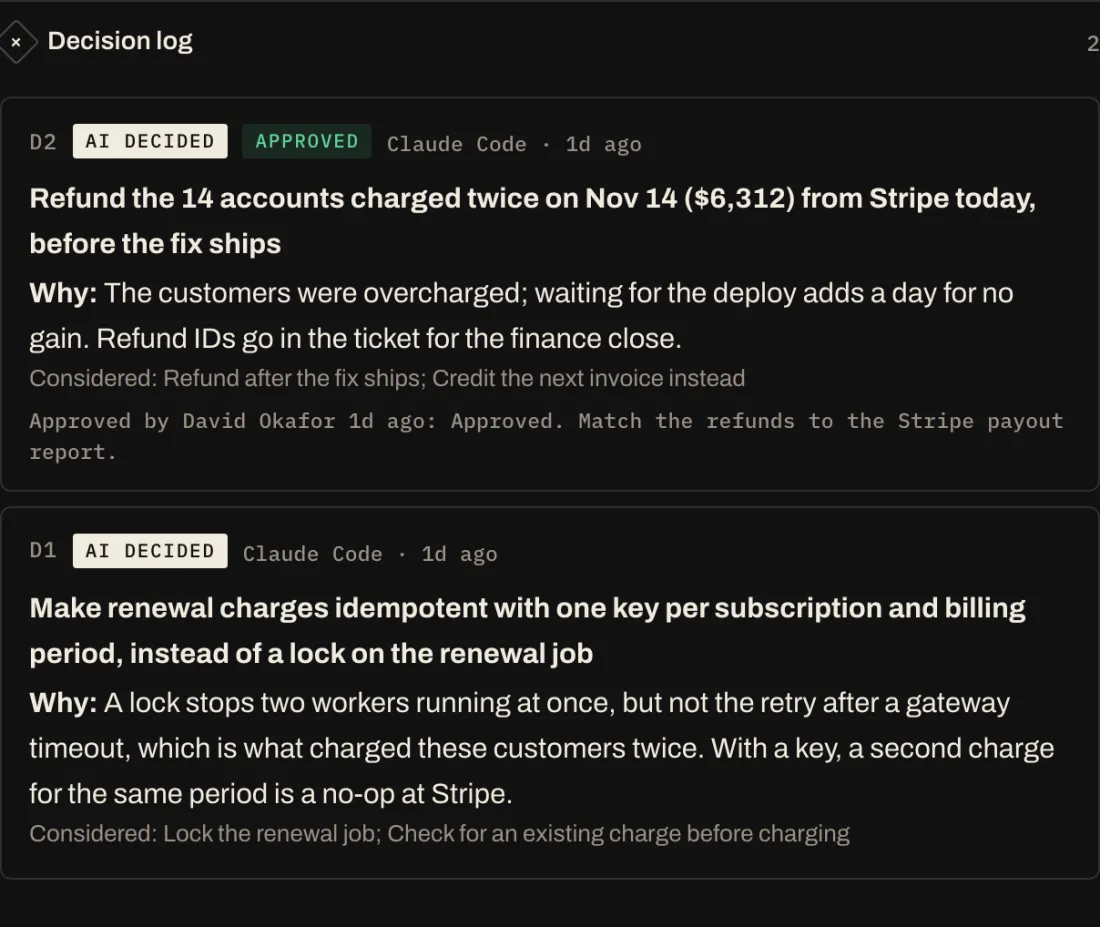
What it chose, and who said yes
On the double-charge ticket the AI logged two decisions. The refund touched money, so it waited for David, the CFO, to approve it before acting.
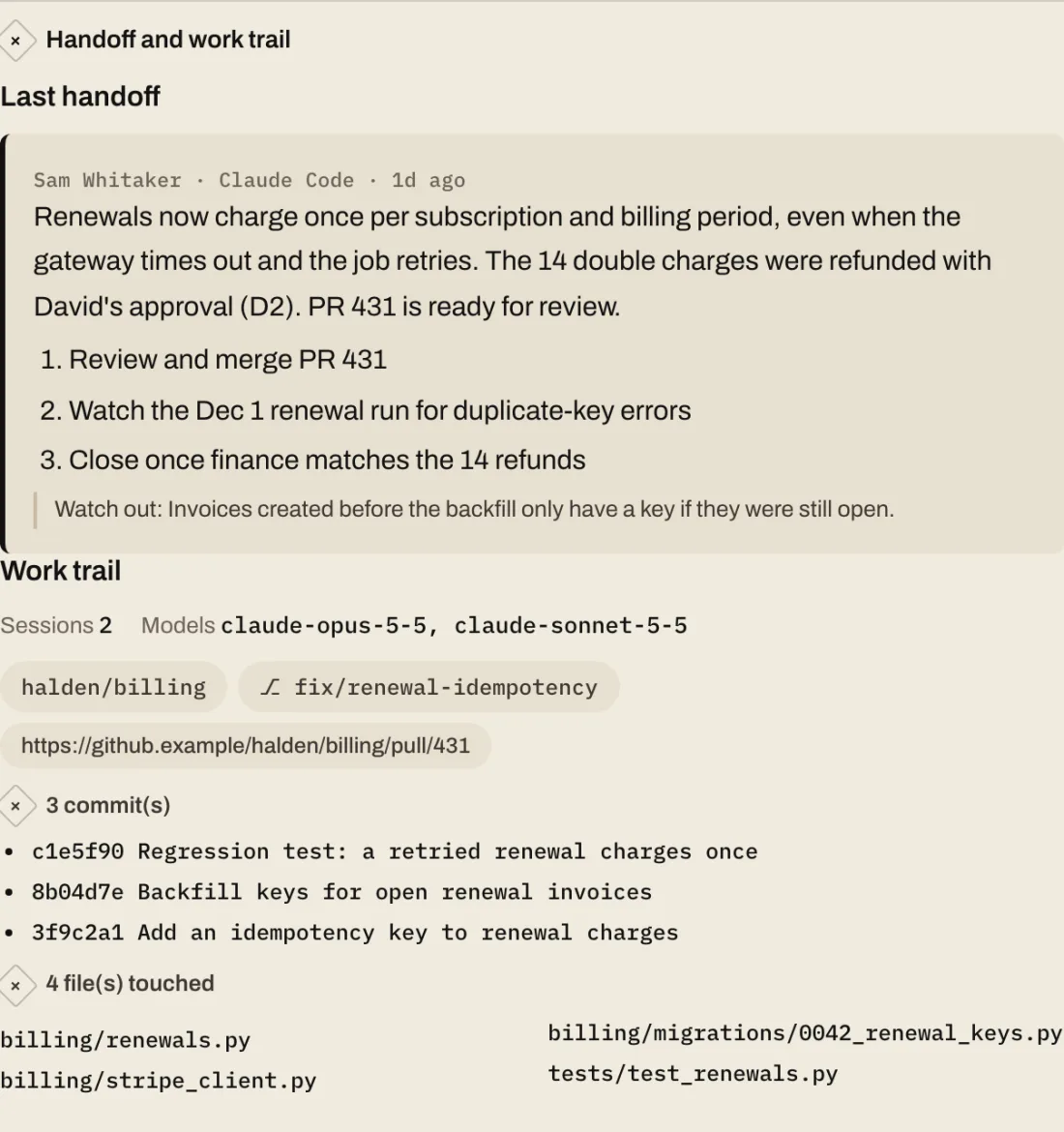
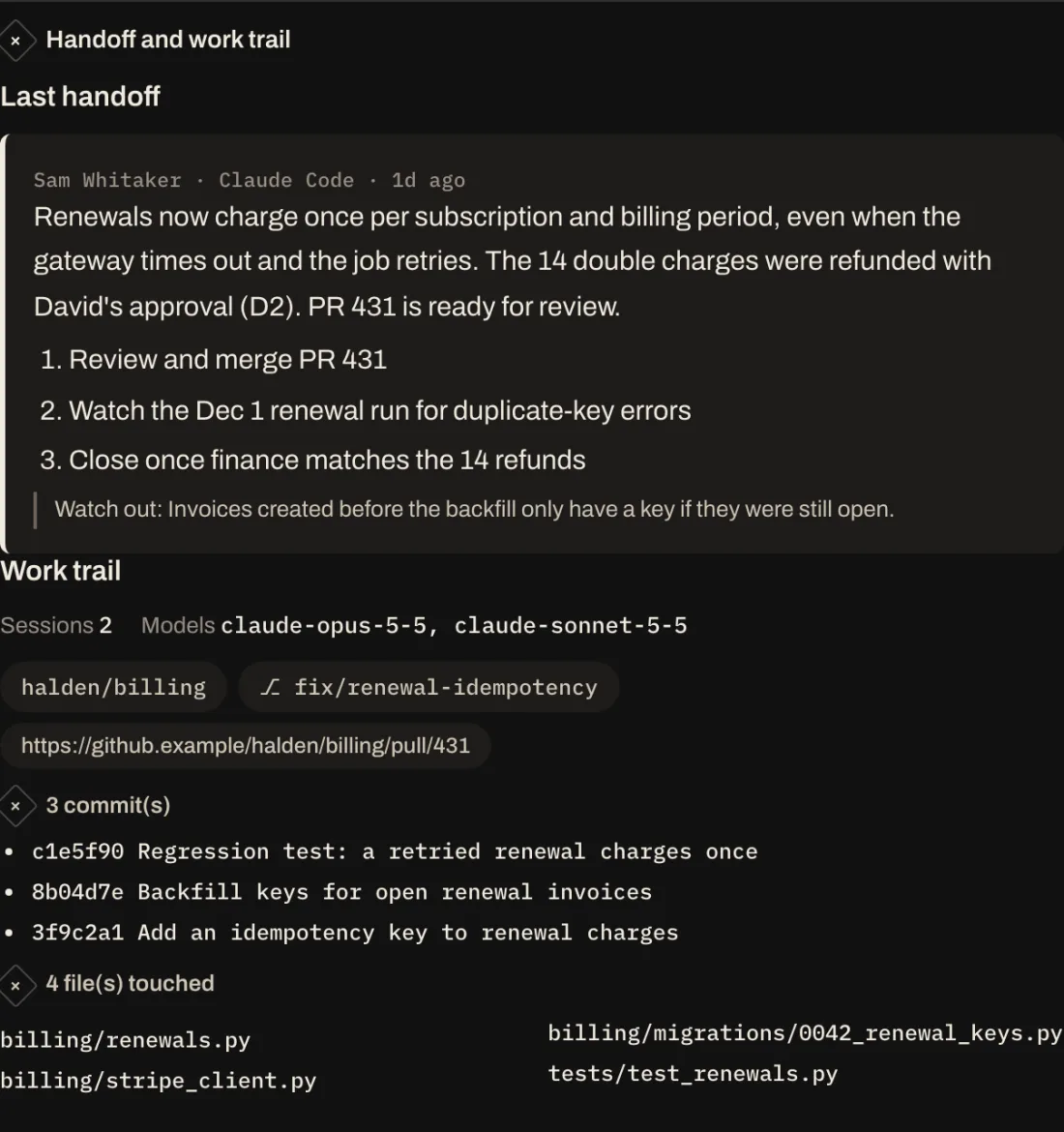
Where it stopped, and what it shipped
The summary, the next steps and the gotcha for whoever picks it up, plus the repo, branch, pull request, commits and files. More in the AI work audit trail.
Every way to give Claude Code a ticket, compared
Pick by where your tickets live and what you need back. If the answer is a PR on GitHub, the @claude mention is hard to beat. If you need to know who owns the work, what it cost and what the AI asked along the way, the record has to live on the ticket.
| Way | Where the ticket lives | Who picks it up | What comes back to the ticket |
|---|---|---|---|
| Paste the ticket into the prompt | Anywhere | You, by hand | Nothing, unless you copy the result back |
| Claude Code task list | On your computer, ~/.claude/tasks/ | Claude Code sessions that share one task list ID | Nothing outside that computer |
| @claude on a GitHub issue | GitHub | Claude Code in a GitHub Actions workflow, when mentioned | Comments, commits and pull requests on GitHub |
| Delegate in Linear | Linear | Integrations on Linear's agent platform, such as Cursor | Status in Linear and, for Cursor, a pull request when it finishes |
| Assign in Jira | Jira | Rovo and third-party integrations Atlassian lists | What the integration writes back |
| Jenzo | Jenzo, held by a person | That person's Claude Code, Codex or Cursor, over MCP | Plan, decisions, questions, approvals, AI time and cost, PR and commits, handoff |
Checked on the vendors' own pages, 27 November 2026: Claude Code task list, Claude Code GitHub Actions, Linear, Cursor and Linear, Jira AI.
Set it up in two minutes
Connect Claude Code once
Install the Jenzo plugin (MCP plus the usage hook) or add the MCP server. Codex and Cursor connect the same way.
Assign tickets to people
As you do now. The person who holds a ticket is the one its AI answers to.
Say what to work on
"What's next?" or "work on HAL-70". The plan, questions, time and cost land on the ticket.
claude plugin marketplace add https://app.jenzo.ai/claude/marketplace.json
claude plugin install jenzo@jenzo --config token=YOUR_TOKEN
codex mcp add jenzo --url YOUR_MCP_URL
what's next?
work on HAL-70
Your token and MCP address are on the setup page after you sign up, with a copy-paste prompt that sets up Claude Code, Codex or Cursor for you.
The limits, plainly. Jenzo does not start Claude Code for you: a person opens the session, or a run they schedule, and says what to work on. Time and cost are measured where the Jenzo plugin (Claude Code) or agent (Codex, Gemini CLI) runs; Cursor keeps no counts on disk, so its cost is estimated and labelled that way. Only counts leave the computer, never code or prompts.
The same records, cut other ways: AI work audit trail, AI cost per ticket, AI coding timesheet, Claude Code usage per developer and the AI report.
Cite this page
Jenzo (2026). Assign tickets to Claude Code: task management for AI coding. https://jenzo.ai/use-cases/assign-tickets-to-claude-code.
Free to quote with a link to this page.
Questions
Can I assign a ticket to Claude Code?
Not as a teammate with its own seat, in Jenzo. You assign the ticket to a person, and that person's Claude Code picks it up: ask it what's next, or say "work on HAL-70". Claude Code reads the ticket over Jenzo's MCP server, works it, and writes the plan, decisions, questions, time and cost back onto it. Outside Jenzo, Claude Code has a local task list, and in GitHub you can mention @claude on an issue to have it implement changes and push commits.
How does Claude Code know which ticket to work on?
Either you name it, or it calls whats_next, which returns the most important open ticket the person holds and can start it in one step. The Jenzo plugin files the session's usage on the ticket named in the first prompt, and a later prompt that starts with a new ticket ref switches it.
What happens when Claude Code needs an answer from me?
It calls ask_human. The question shows on the ticket and in your Waiting on you page, its AI clock pauses, and it does not continue the part that needs the answer. You reply on the ticket, and the next session resumes with your answer.
Can Claude Code close tickets by itself?
It can, with proof: finishing a ticket needs a closing note plus a link or screenshot URL, or a real closing report. When the last step belongs to a person, such as merging, sending or paying, it hands off instead: the steps become a checklist in that person's queue, and the ticket closes when every box is ticked.
Does this work with Codex and Cursor too?
Yes. The same MCP server works in Codex and Cursor, so the same ticket can be picked up by whichever tool the person uses. Codex time and cost are measured by the Jenzo agent; Cursor keeps no token counts on disk, so its cost is estimated and labelled that way.
Is Claude Code's built-in task list enough?
For one person in one repo, often yes. It is Claude's own checklist for multi-step work, stored under ~/.claude/tasks/ and shared only between sessions that use the same task list ID. It has no owner, no questions to a person, no approvals and no cost, so it does not replace a team's tickets.
Does Jenzo see my code or prompts?
No. The Jenzo plugin sends only counts: time, model and tokens. What lands on the ticket is what the AI writes there through the MCP tools: the plan, decisions, questions, comments and links.